
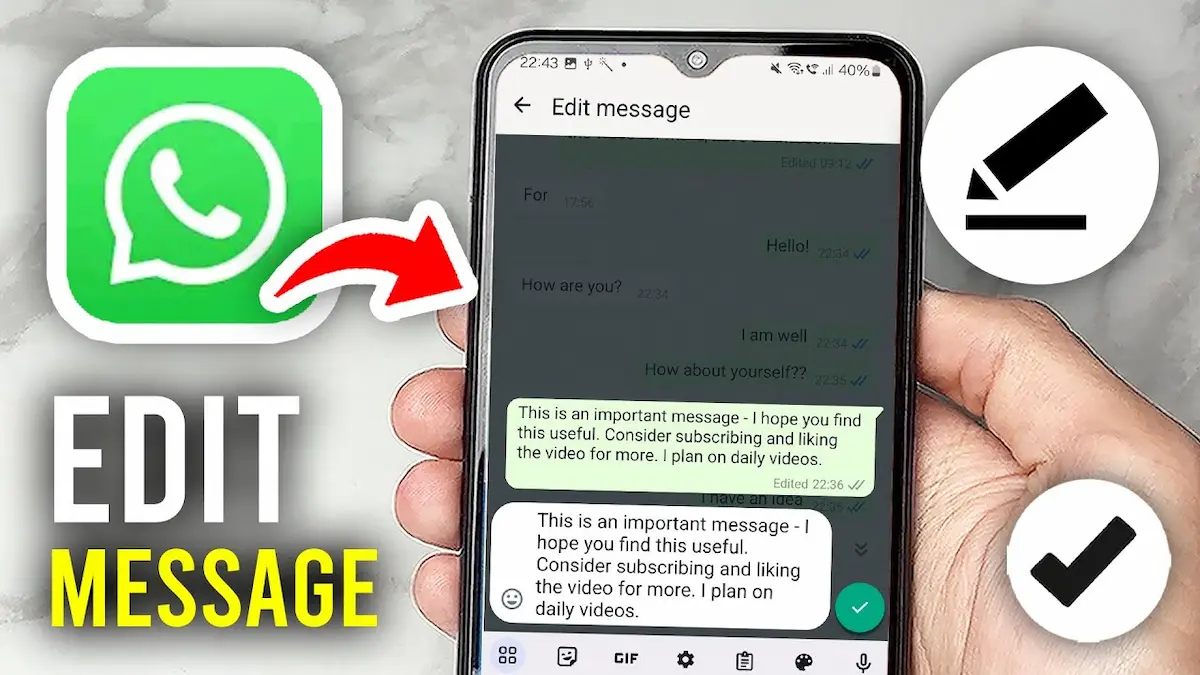
Have you ever sent a WhatsApp message and immediately noticed a spelling mistake or realized you wrote something wrong? Don’t worry! It happens to almost everyone. The good news is that WhatsApp allows you to correct your messages without deleting them. If you’re wondering how to edit messages in WhatsApp, you’ve come to the right place.
In this guide, I’ll walk you through the entire process, whether you’re using an Android phone, iPhone, or computer. You’ll also learn about WhatsApp’s message editing time limit, common problems, and some useful tips to make editing easier.
Can You Edit Messages in WhatsApp After Sending Them?
Yes! WhatsApp has a built-in feature that lets you edit messages you’ve already sent.
Imagine you’re chatting with your friend and accidentally send:
“Let’s meet tomorrow at 8 AM.”
But you actually meant 9 AM. Instead of deleting your message and typing it again, you can simply edit the original message and change the time.
WhatsApp gives you 15 minutes after sending a message to make corrections. Once this time passes, the editing option is no longer available.
The feature works in both individual and group chats, making it convenient for everyday conversations.
When you edit a message, WhatsApp displays an “Edited” label next to it. However, other users cannot view the message’s editing history through WhatsApp.
How to Edit Messages in WhatsApp on Android
If you use an Android smartphone, editing a WhatsApp message is simple. You don’t need any additional applications or special settings.
Follow these steps:
- Open WhatsApp: Launch the WhatsApp application on your Android phone.
- Open the conversation: Go to the individual or group chat containing the message you want to change.
- Find your message: Locate the message you sent within the last 15 minutes.
- Press and hold the message: Touch and hold your message until it becomes selected.
- Open the editing option: Tap the three-dot menu in the upper-right corner and choose “Edit.” The exact menu may vary slightly depending on your WhatsApp version.
- Correct your message: Change the words, fix the spelling, or add missing information.
- Save your changes: Tap the checkmark to confirm your edited message.
That’s it! Your updated message will appear in the conversation with an “Edited” label.
Helpful tip: If you frequently make typing mistakes, quickly review your messages after sending them. This gives you enough time to make corrections before the editing window closes.
How to Edit Messages in WhatsApp on iPhone
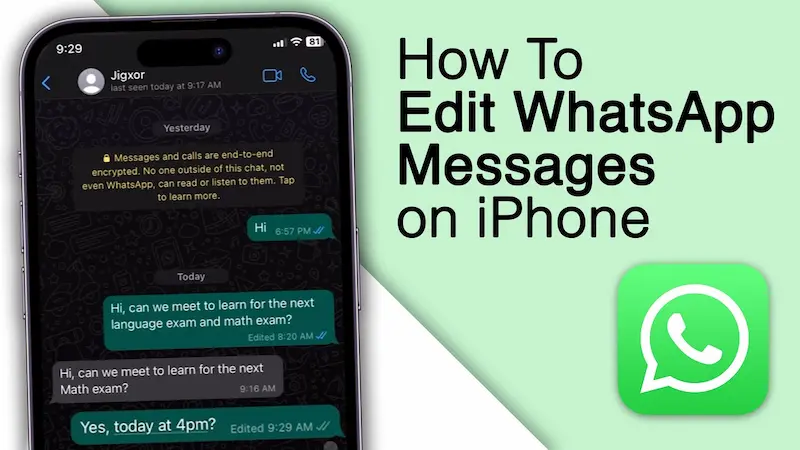
Are you an iPhone user? The editing process is almost the same as on Android, but the menu looks slightly different.
Here’s what you need to do:
- Open WhatsApp on your iPhone.
- Go to the chat containing the message you want to edit.
- Find your recently sent message.
- Press and hold the message until a menu appears.
- Select the “Edit” option.
- Make the necessary changes to your text.
- Tap the checkmark or confirmation button to save the edited message.
Your message will be updated automatically in the conversation.
For example, suppose you accidentally sent:
“I will call you at 5 PM.”
But you actually meant 6 PM. Simply open the editing option, replace 5 PM with 6 PM, and save your changes.
You don’t need to send another message explaining the correction.
How to Edit WhatsApp Messages on Web or Desktop
Did you know that you can also edit WhatsApp messages while using your computer?
If you regularly use WhatsApp Web or the desktop application for office work, studying, or personal conversations, this feature can be especially useful.
Here’s how to do it:
- Open WhatsApp Web or the WhatsApp desktop application.
- Open the conversation containing your sent message.
- Locate the message you want to change.
- Hover your mouse over the message and open its menu, or right-click the message.
- Select “Edit” if the option is available.
- Correct the message.
- Click the checkmark to save your changes.
Remember that the same 15-minute time limit applies.
Also, editing availability can depend on which device you originally used to send the message and your app version. If you cannot find the editing option on your computer, try opening the conversation on the device where you sent the message.
What Is the Time Limit for Editing WhatsApp Messages?
One of the most important things to understand about WhatsApp message editing is its time limit.
WhatsApp allows users to edit a sent message for up to 15 minutes after it was originally sent.
Here’s a simple example:
Suppose you send a message at 10:00 AM. You have until approximately 10:15 AM to edit it. After that, WhatsApp no longer offers the editing option for that message.
During the editing window, you can make multiple corrections to a message.
This feature is helpful when you notice mistakes immediately, but it isn’t designed for changing old conversations.
Can You Edit WhatsApp Messages After 15 Minutes?
Unfortunately, WhatsApp does not officially allow users to edit messages after the 15-minute limit has expired.
Once that time passes, the “Edit” option disappears.
However, you still have some alternatives.
Option 1: Send a Corrected Message
You can simply send another message explaining the correction.
For example:
“Sorry, I meant 9 PM, not 8 PM.”
This is usually the easiest solution.
Option 2: Delete the Original Message
If the “Delete for everyone” option is still available, you may be able to remove the incorrect message and send a new one.
Keep in mind that deleting a message is different from editing it. WhatsApp may show a notification indicating that a message was deleted.
Option 3: Reply to Your Original Message
If you want to avoid confusion, reply directly to the incorrect message and explain what you intended to say.
This is especially useful in busy group chats where several people are exchanging messages.
You may also like to read this:
How To Edit Videos on iPhone: Easy Beginner’s Guide
Gemini Photo: Create and Edit Stunning AI Images
How To Edit PDF File in Phone for Free on Android & iPhone
How To Edit PDF in Laptop For Free: Complete Guide
How To Make Edits on Phone, Laptop, and Computer
Why Can’t I Edit Messages in WhatsApp?
Sometimes you may try to edit a message but discover that the editing option is missing.
Don’t worry. There are a few possible reasons.
1. The 15-Minute Limit Has Expired
This is the most common reason.
If your message was sent more than 15 minutes ago, WhatsApp will no longer let you edit it.
2. You’re Using an Outdated WhatsApp Version
If your WhatsApp application is outdated, some features may not work as expected.
To fix this:
- Open the Google Play Store or Apple App Store.
- Search for WhatsApp.
- Tap “Update” if an update is available.
- Restart WhatsApp and check again.
3. You’re Trying to Edit Someone Else’s Message
WhatsApp only allows you to edit messages you sent yourself.
You cannot edit a message received from your friend, family member, or another group participant.
4. You’re Trying to Edit Unsupported Content
WhatsApp’s standard message editing feature is mainly designed for text messages.
You cannot use it to replace an already-sent photo, video, or voice recording. Some media caption editing options may vary by version.
5. A Temporary Application Problem
Occasionally, an application glitch may prevent an available option from appearing.
Try closing WhatsApp and opening it again. You can also check your internet connection and ensure your app is updated.
Does WhatsApp Notify Someone When You Edit a Message?
This is a common question, especially if you’re correcting a message in an important conversation.
When you edit a WhatsApp message, the recipient can see an “Edited” label next to the updated text.
However, WhatsApp does not normally send a separate notification just to announce that you’ve edited the message.
For example, imagine you originally sent:
“I’ll be there in 5 minutes.”
You then change it to:
“I’ll be there in 15 minutes.”
The recipient will see the updated message along with the “Edited” label.
They generally cannot open a built-in editing history to see your previous wording. However, remember that they may have already read the original message or seen it in a notification before you changed it.
Can Someone See the Original Message After You Edit It?
No, WhatsApp does not provide users with a built-in feature for viewing previous versions of an edited message.
Once you save your changes, the edited text replaces the original message in the conversation.
But there’s something important to remember.
If the other person already saw your message before you edited it, they may still remember the original content. They might also have saved or captured it.
Therefore, you should never assume that editing a message guarantees nobody has seen its original wording.
Can You Edit WhatsApp Messages in Group Chats?
Yes! The message editing feature also works in WhatsApp groups.
Suppose you’re part of a family group and accidentally send the wrong dinner time.
Instead of sending several messages to correct yourself, you can edit the original message.
The steps are simple:
- Open your WhatsApp group.
- Find the message you sent.
- Press and hold the message.
- Choose “Edit” from the available menu.
- Make your changes and save them.
Every group participant will see the updated message when their chat syncs, along with the “Edited” label.
This is particularly helpful when sharing meeting times, important announcements, addresses, or other information that needs to be accurate.
Benefits of Editing Messages in WhatsApp
The editing feature may seem small, but it can make everyday communication much easier.
Here are some of its biggest benefits.
1. Fix Spelling and Grammar Mistakes
Sometimes autocorrect changes words into something completely different. Editing allows you to correct these mistakes quickly.
2. Avoid Unnecessary Messages
Instead of deleting a message and sending another one, you can simply update the original text.
3. Prevent Confusion
If you share an incorrect date, time, or detail, editing the message helps keep the conversation clear.
4. Improve Professional Communication
When discussing work, assignments, or business-related topics, accurate messages are important. Editing helps you correct mistakes without creating multiple follow-up messages.
5. Keep Group Chats Organized
Group conversations can become confusing when participants repeatedly send corrections. Editing helps reduce that clutter.
Difference Between Editing and Deleting WhatsApp Messages
Many WhatsApp users confuse message editing with message deletion, but these features work differently.
Here’s a quick comparison:
| Feature | Edit Message | Delete Message |
| Main purpose | Correct sent text | Remove a message |
| Time limit | 15 minutes | Different, longer limit for “Delete for everyone” |
| Original text remains | Replaced with new text | Removed when deletion succeeds |
| Chat indication | “Edited” label | May show a deleted-message notice |
| Best use | Fixing typos or details | Removing an unwanted message |
If you’ve only made a small typing mistake, editing is usually more convenient.
However, if you’ve sent a message to the wrong person or shared something you didn’t intend to send, deleting it may be more appropriate, provided the option is still available.
Useful Tips for Editing WhatsApp Messages
If you want to make the most of this feature, keep a few simple things in mind.
First, try to review your message immediately after sending it. Because WhatsApp only gives you 15 minutes, spotting mistakes early is important.
Second, make sure your corrections are clear. If you’re changing important details like a meeting time or an address, double-check the new information before saving it.
Third, be careful when editing messages that someone may have already read. The updated text will appear in the conversation, but the other person might have acted on the original information.
Finally, keep WhatsApp updated to help ensure that you have access to its supported features and improvements.
Frequently Asked Questions (FAQs)
Can I edit a WhatsApp message after one hour?
No. WhatsApp currently allows message editing only within 15 minutes of sending it. After one hour, you would need to send a correction or use another available option.
How many times can I edit a WhatsApp message?
You can edit the same text message multiple times during the 15-minute editing window. The time limit is measured from when the message was originally sent, not from your latest edit.
Can I edit someone else’s WhatsApp message?
No. You can only edit messages that you personally sent. WhatsApp does not allow you to modify other people’s messages.
Can I edit WhatsApp messages without the other person knowing?
Not completely. Although WhatsApp does not usually send a separate editing notification, the updated message displays an “Edited” label.
Can I edit a WhatsApp message that has already been read?
Yes. Whether the recipient has read the message does not prevent editing, as long as you’re still within the 15-minute time limit.
Final Thoughts
Now that you know how to edit messages in WhatsApp, correcting a typo or changing an incorrect detail should be much easier.
Whether you’re using Android, iPhone, or WhatsApp on your computer, the process is straightforward. Find your recently sent text message, open the editing option, make your corrections, and save the changes.
Just remember the most important rule: WhatsApp gives you only 15 minutes to edit a message after sending it.
The next time you accidentally type the wrong word, share an incorrect time, or forget to include something important, there’s no need to immediately delete your message. Simply use WhatsApp’s editing feature to make the correction and keep your conversation clear.
With this simple feature, everyday chatting becomes more convenient, organized, and stress-free.
