
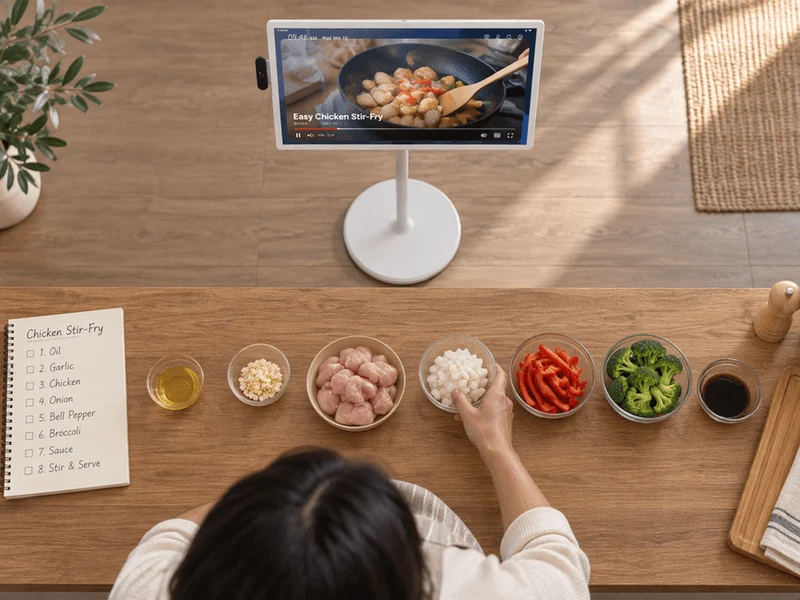
The recipe says to fold the dough until it looks like the picture. The presenter demonstrates once, the programme moves on, and your fingers are covered in flour. This is when a streaming setup stops being an abstract arrangement of screens and apps and becomes a practical question: can you get back twelve seconds without covering the remote in paste? A kitchen is a demanding place to test video because the viewer has another job to do.
Pick a programme or recipe demonstration you have permission to watch. Use a task that takes several steps rather than a thirty-second montage of a finished meal. Before you start cooking, watch a minute standing where you normally work. If the screen is only readable from the doorway, you already know what to change. Position it somewhere stable, away from water, heat and work surfaces where it might be knocked over. Follow the device maker’s instructions for use and cleaning.
Test the moment when your hands are busy
Do a dry run before opening the ingredients. Press pause, look down for a moment, and try to find the button again without thinking. Can you rewind a little or do you jump outside the programme and have to find it again? Is there a preview while you move along the timeline? Live television and a recorded episode need not offer the same controls. Try the type of programme you actually mean to use; a good demonstration in a different mode proves little.
Keep a pencil and a scrap of paper nearby. Note the time when the presenter shows the texture or movement you need to see twice. A timestamp such as “six minutes, dough leaves side of bowl” is easier to use than a memory of a pale ball moving about halfway through the episode. If you miss the demonstration, put the utensils down and return to the marked point. A washable recipe stand may solve a bigger problem than a new screen.
A household assessing Dino IPTV can use the homepage to identify the provider and then ask about the chosen player and programme type. Do not assume that a subscription includes pause, replay or a particular cooking series on every device. Those are separate questions. If the provider page or an account seller cannot confirm the feature you need, test with material you already have access to before building a whole meal around a feature that might not be there.
Make the instructions visible and audible
Watch one section with the extractor fan on at its usual level. Can you hear the difference between fifteen and fifty? Are ingredient names readable once steam and reflections enter the picture? Captions, if present, can help, but specialised food names and quantities deserve checking against a written recipe. A programme cut for entertainment may skip a resting stage entirely. Copy the full ingredient list and key timings beforehand rather than relying on hearing a number over a kettle.
Try the same segment with the device in the position where it will stay. A tablet balanced beside a mixing bowl may look attractive in a photograph and be hopeless once you need the whole counter. Keep pathways and cables clear. If you decide to use a small speaker, test the sound before guests arrive. More volume may make speech harder to understand if the speaker sits behind the fan. Move the source or turn on readable text before assuming a purchase is necessary.
Consider the size of the information you need at the awkward moment. A wide shot can show where the presenter stands, while the tight shot of the spoon tells you what a thick sauce should look like. If the programme keeps cutting between the two, keep two timestamps on the paper instead of one. The first locates the spoken instruction; the second locates the visual result. Someone following the recipe tomorrow can jump directly to the part they need.
If two people cook together, try assigning the remote to the person reading the next step. Let the cook call for the pause when the mixture reaches the point of comparison. It is a small division of labour, but it makes the screen useful without requiring anybody to balance a device on the edge of a sink or tap a button with dough on their fingers.
Use the pricing and personal subscription terms to price the viewing period you would actually use, once the page is available. If you follow one series over a few weekends, put those weekends on a calendar. Compare them with a term you would knowingly buy. A long package isn’t a saving simply because its price per month looks small. Nor is it necessary to open a business account because different family members take turns following the same recipe.
Pass the setup to the next cook
Imagine your teenager preparing the same dish the following week. Could they find the episode, switch on captions and return to the folding demonstration from your paper note? Let them try without narrating every button press. If they get stuck at an input menu, add the input name to the note. If the episode has disappeared, the original recipe or a written method should still let them cook dinner. Preserve your own notes without copying or redistributing the programme.
For people who obtain service through a shop, the account reseller information can help explain whom to ask about a purchase or an activation. The shop selling the account may not control playback features in a particular application. Give them the exact question: can this player pause this kind of programme and resume from the same place? A vague conversation about an “interactive” service won’t tell a cook whether they have time to wash their hands.
When dinner is finished, put one useful correction on the recipe card. Write where you stopped the programme or how you recognised the right texture. Next time the screen becomes an assistant instead of another hungry thing demanding attention. The successful setup is the one that lets you put the remote down, get your hands into the dough and know that the important twelve seconds will still be there when you look up.
