
I rebuilt this ProxyLine review around cost of ownership rather than a normal feature checklist. ProxyLine is inexpensive enough that the headline price can distract from the more important question: what does a working proxy actually cost after you include exclusivity, compatibility, failed targets, replacement time, rental length and operational effort?
That framing matters because ProxyLine sells fixed endpoints, not a rotating residential pool. The current catalog includes shared IPv4, individual IPv4, IPv6/32 and MTProto options, with HTTP/SOCKS5 for the web-oriented products, short five-day rentals, manual IP/subnet/city selection, IP binding, instant activation, renewals and API-oriented order management. I reviewed the service as infrastructure: where the low price creates real value, where it can create false economy, and what I would test before buying at scale.
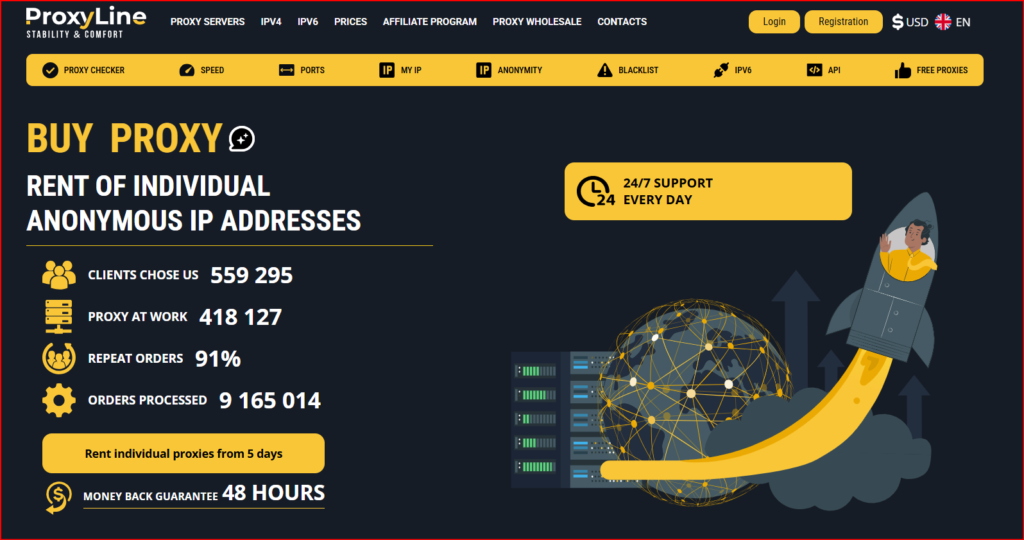
ProxyLine homepage used as the visual reference for this October 2026 review.
| Bottom line first ProxyLine is most compelling when a team wants cheap, predictable static endpoints and is willing to validate reputation and destination compatibility before scaling. The five-day rental period is especially useful because it makes testing inexpensive. |
The cost notebook: what you are really paying for
A proxy invoice has an obvious cost and several hidden ones. The obvious cost is the rental fee. Hidden costs include time spent diagnosing an IP that reaches the internet but is blocked by the actual destination, reputation problems on shared addresses, software that does not support IPv6 cleanly, and the operational cost of replacing or remapping a bad endpoint. This is why I would never compare proxy providers only on the cheapest annualized price.
| Cost layer | What changes it | How I would control it |
|---|---|---|
| Rental fee | Proxy type, quantity, rental length | Pilot with a five-day order before extending |
| Reputation risk | Shared vs individual IP, subnet history | Use individual IPv4 for sensitive workflows |
| Compatibility risk | IPv4/IPv6 and target support | Test the exact domains and software stack |
| Operations | Credentials, renewals, inventory changes | Document proxy-to-workload mapping; use API where useful |
| Geo accuracy | Country/city/subnet selection | Verify with independent geolocation databases |
Price ladder: 5 days vs 30 vs 90 vs 360
The public ProxyLine pricing page uses four rental periods and volume bands. The structure is useful because a five-day order can be treated as a paid compatibility test rather than a long commitment. The snapshot below reflects the catalog structure used for this review; checkout remains the final price source.
| Type | Quantity | 5 days | 30 days | 90 days | 360 days |
|---|---|---|---|---|---|
| IPv4 Shared | 1-20 IPs | $0.67 | $0.99 | $2.97 | $11.88 |
| Individual IPv4 | 1-20 IPs | $0.96 | $1.77 | $5.31 | $21.24 |
| Individual IPv4 | 21-40 IPs | $0.91 | $1.74 | $5.22 | $20.88 |
| Individual IPv4 | 41-89 IPs | $0.89 | $1.56 | $4.68 | $18.72 |
| Individual IPv4 | 90-1000 IPs | $0.83 | $1.50 | $4.50 | $18.00 |
| IPv6/32 | 1-99 IPs | $0.10 | $0.51 | $1.53 | $6.12 |
| IPv6/32 | 100-199 IPs | $0.10 | $0.48 | $1.44 | $5.76 |
| IPv6/32 | 200-3000 IPs | $0.09 | $0.48 | $1.44 | $5.76 |
| MTProto | 1-20 IPs | $0.96 | $1.77 | $5.31 | $21.24 |
Individual IPv4 is the tier I would use to establish a baseline. Shared IPv4 can be cheaper, but the savings are meaningful only if shared reputation does not create extra blocks. IPv6/32 can be dramatically cheaper again, but only when every part of the workflow supports IPv6. MTProto belongs in a separate budget because it is a Telegram-specific transport rather than a general web proxy.
Scenario 1: one stable browser or software identity
For a browser profile, QA workstation, allowlisted tool or recurring regional check, I would favor individual IPv4. The reason is not that a dedicated IP is automatically trusted; it simply removes the variable of simultaneous use by another customer. HTTP is easy for browsers and common scripts, while SOCKS5 is valuable when the application needs broader transport support. A stable endpoint also makes troubleshooting easier because the network identity does not change every request.
Scenario 2: low-sensitivity public-page research
Shared IPv4 can make sense when the work is disposable and public: simple page availability checks, coarse localization QA, lightweight research or proof-of-concept work. The moment a workflow becomes revenue-sensitive, login-sensitive or highly rate-limited, the money saved on shared addresses can be outweighed by the time spent explaining inconsistent behavior.
Scenario 3: scale where IPv6 is genuinely supported
IPv6/32 is where the unit economics become most aggressive. I would only scale after proving the exact destination, DNS path, authentication flow and client library all behave correctly. A cheap proxy that breaks the application is not inexpensive. If the entire stack is IPv6-ready, however, the cost per endpoint can be very attractive for testing and monitoring workloads.
What the management controls add
- Manual IP, subnet and city selection help make geo-oriented tests more repeatable.
- HTTP and SOCKS5 support gives flexibility across browsers, scripts and desktop tools.
- IP binding can simplify controlled-source access when credentials alone are not preferred.
- Immediate activation keeps small pilots fast to start.
- Renewal controls that add or remove IPs help maintain a cleaned production pool.
- API access matters once manual order management becomes a bottleneck.
- A published replacement/refund window is most useful when testing begins immediately after purchase.
My acceptance test before scaling
- Buy one to three individual IPv4 addresses in the real target location.
- Verify apparent IP, ASN and geolocation using more than one checker.
- Run the complete target workflow rather than just loading a homepage.
- Compare HTTP and SOCKS5 behavior if the application supports both.
- Repeat across multiple sessions and times of day, logging CAPTCHAs, errors and resets.
- Only then test shared IPv4 or IPv6 as a cost-optimization step.
- Extend rental length only for addresses and subnets that passed the target-specific test.
Who gets the best economics from ProxyLine?
ProxyLine fits teams that want inexpensive static IPs for SEO checks, localization work, development, integration testing, browser profiles, internal automation and other tasks where a known endpoint is more useful than automatic rotation. It is a weaker match when the requirement is specifically residential or mobile ASN traffic, automatic session rotation or a managed scraping API. Those are different infrastructure categories and should not be forced into a static-proxy comparison.
| What works well | What to verify / limitations |
Low entry pricing with five-day rentalsChoice of shared IPv4, individual IPv4, IPv6/32 and MTProtoHTTP/SOCKS5 flexibilityManual IP/subnet/city controlsAPI and renewal toolingStatic endpoints are easy to map to jobs | Static IP reputation is destination-specificShared IPv4 adds another user’s reputation riskIPv6 savings depend on compatibilityNot a rotating residential/mobile networkLow unit price can hide troubleshooting cost if testing is skipped |
Final ownership view
The strongest way to buy ProxyLine is to treat five-day rentals as validation inventory, not as production inventory by default. Start with private IPv4, prove the workflow, then optimize the cost structure with longer terms, shared IPv4 or IPv6 only where the evidence supports it. That approach preserves the low-price advantage without allowing the cheapest tier to dictate the architecture. Re-check current locations, terms and inventory on the official ProxyLine website before purchase.
FAQ
Is private IPv4 worth more than shared IPv4?
For workflows sensitive to reputation or consistency, usually yes because it removes simultaneous sharing as a variable. For low-risk public research, shared IPs can be economical.
Why is the five-day term useful?
It lets you test real target compatibility cheaply before committing to a month or a year.
Is IPv6 always the cheapest choice?
Only when the destination and software support it. Compatibility failures can erase the nominal saving.
Does SOCKS5 make a proxy residential?
No. SOCKS5 is a transport/proxy protocol; it does not change the network origin category of the IP.
What should I test first?
The exact website, login flow, API, software client and geography that will be used in production.
