
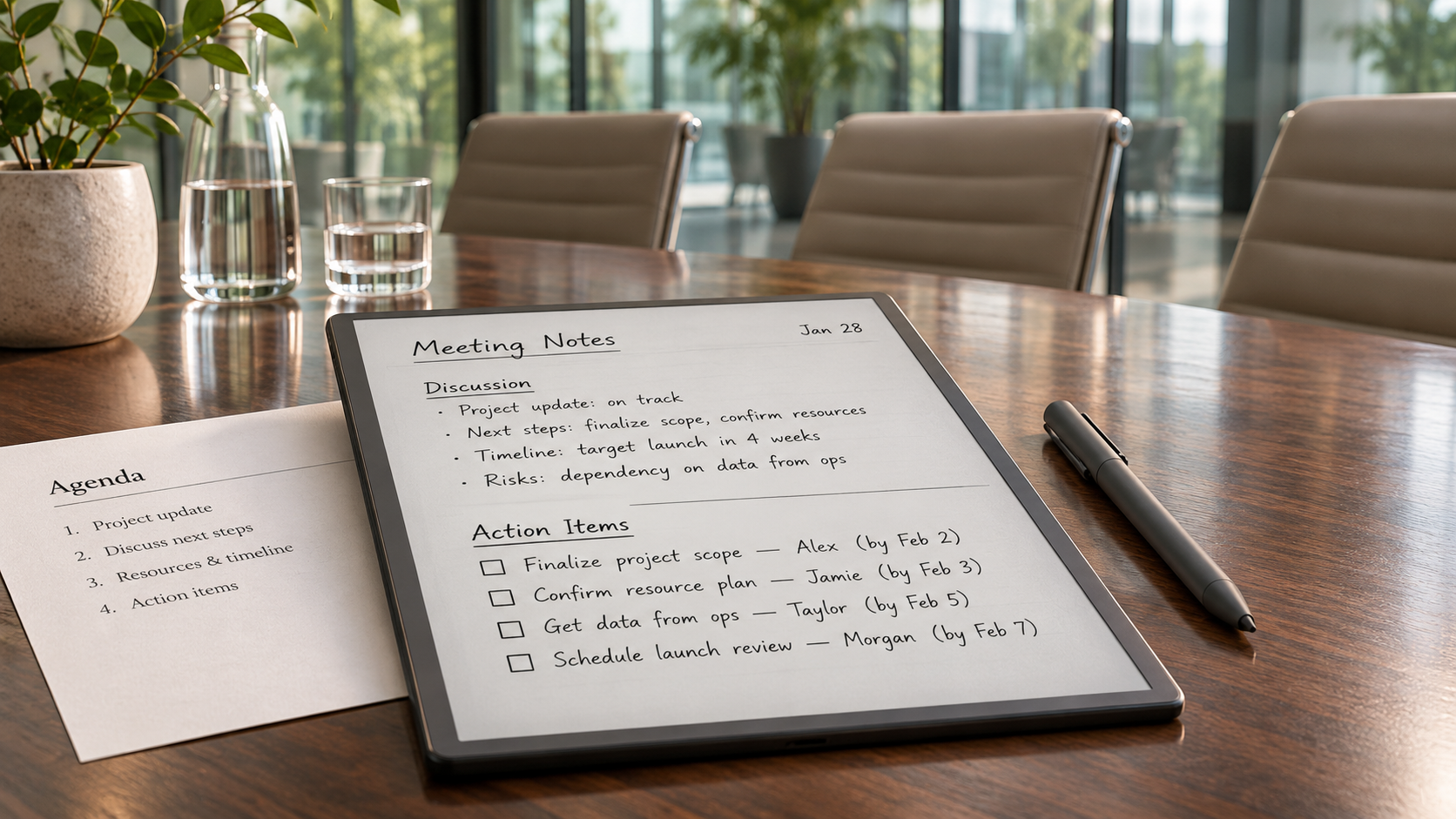
Meetings rarely fail because nobody wrote anything down. The more common problem is that the notes never become work.
A page may contain useful observations, half-finished sentences, names, dates, and several decisions. Two days later, the writer has moved on to other tasks, while everyone else remembers the discussion differently. The notes still exist, but they no longer tell the team what needs to happen next.
A reliable meeting workflow closes that gap. It begins before the first person speaks and ends only after decisions have been assigned, shared, and placed somewhere they can be tracked.
Prepare the Page Before the Meeting
Starting with a completely blank page often produces scattered notes. A few headings added beforehand make it easier to separate background information from actual commitments.
The page does not need a complicated template. Five areas are usually enough:
- Meeting purpose
- People attending
- Questions that need answers
- Decisions
- Action items
Add the date and project name in a consistent format. A title such as “Website Launch — Content Review — May 14” is much easier to retrieve than “Wednesday Meeting.”
Preparation is also the time to attach or download relevant files. If the discussion will refer to a proposal, schedule, or PDF, place it with the meeting page rather than searching through email while people are waiting. A digital notebook for meeting notes is most useful when handwritten comments, reference documents, and later follow-up material can stay connected to the same project.
Write down two or three questions that the meeting must resolve. These questions keep the page focused. Without them, note-taking can turn into a transcript of everything said rather than a record of what changed.
Do Not Try to Capture Every Sentence
Detailed notes feel thorough, but they often hide the useful information. Most meetings produce only a few items that matter after everyone leaves:
- A decision was made.
- Someone agreed to complete a task.
- A question remains unresolved.
- A date or requirement changed.
- A risk needs attention.
Mark these items while the conversation is happening. Simple symbols work well: a box for a task, a question mark for an unresolved issue, and a star for a decision. The exact symbols do not matter as long as they are used consistently.
Keep context brief. Instead of writing an entire debate about a delayed shipment, record the outcome and the reason:
“Launch moved to June 12 because packaging approval is still pending.”
That sentence will be more useful next week than two pages of fragmented comments.
Names matter too. “Send revised budget” is not an action item until it identifies who will send it and who needs to receive it.
Separate Decisions From Suggestions
Meetings contain many ideas that sound like decisions for a few minutes. Someone proposes a new deadline, another person agrees that it seems reasonable, and the conversation moves on. Later, one attendee treats the date as confirmed while another remembers it as a possibility.
Label decisions only after the group has clearly accepted them. A decision note should answer three questions:
- What was decided?
- When does it take effect?
- What does it replace or change?
For example:
“Use the revised onboarding sequence for all customers joining after July 1. The current sequence remains in place for existing customers.”
This is easier to apply than “Team agreed on new onboarding.”
Suggestions can remain in a separate section for later review. Keeping them away from confirmed decisions prevents an early idea from quietly becoming an unofficial commitment.
Write Action Items as Complete Instructions
A useful action item needs an owner, an observable result, and a deadline. “Look into shipping problem” is too vague. The team cannot tell what completion looks like or when an update is expected.
A stronger version would be:
“Jordan will confirm the warehouse dispatch schedule and post the updated dates in the project channel by Thursday at 3 p.m.”
This wording may seem longer, but it prevents several follow-up messages.
Use a deadline that matches the work. Not every task needs a precise time, but phrases such as “soon,” “later,” and “when possible” make prioritization difficult. If a date cannot be agreed on during the meeting, assign a date for confirming the deadline.
Dependencies should appear beside the task. If the design team cannot begin until legal approval arrives, note that relationship immediately. Otherwise, the task may look overdue even though the assigned person cannot start it.
Pause Before the Meeting Ends
The last five minutes are often treated as disposable, yet they are the best time to prevent confusion.
Read the decisions aloud. Then review each action item with its owner and deadline. This is not a formal performance; it can take less than two minutes in a small meeting. The purpose is to catch misunderstandings while everyone involved is still present.
Someone may point out that a deadline conflicts with another launch. A task may have been assigned to a person who does not control the required file. Two items may turn out to describe the same work. Fixing these details in the room is faster than untangling them through email the next day.
If no decision was reached, say so clearly. “Pricing remains open; Mia and Chen will return with two options on Friday” is a valid outcome. Pretending the topic was completed only creates a harder conversation later.
Use Recording Selectively
Recording can help when a discussion involves technical details, interviews, contract language, or several people speaking quickly. It is less useful when nobody has time to review the file afterward.
Before recording, confirm that participants know and agree. Also decide where the file will be stored, who can access it, and when it should be deleted. A recording can contain side comments and personal information that do not belong in a permanent project archive.
A voice recorder with transcription can reduce the time spent locating a specific part of a long conversation. The transcript provides a searchable reference, while the original audio helps when a name, number, or technical term needs to be checked.
Neither file should become the final meeting record. Recordings preserve what people said; action items describe what the team will do. Those are related but different purposes.
Rather than replaying the entire meeting, use timestamps or written markers to flag sections that may need review. A quick note such as “32:10 — final delivery date discussion” can save time later.
Process the Notes While the Context Is Fresh
Meeting notes lose value quickly. Abbreviations that make sense at noon may be confusing by the following week.
Set aside ten minutes immediately after the meeting, or at least before the end of the day. During that review:
- Expand unclear shorthand.
- Move confirmed decisions into a dedicated section.
- Rewrite vague tasks.
- Check names and deadlines.
- Remove comments that no longer matter.
- Flag any point that requires verification.
Do not polish every sentence. The goal is a usable record, not a transcript that reads like an article.
If the meeting generated many tasks, transfer them to the team’s normal project or task system. Leaving them only inside the notes makes them easy to forget. The note should retain a reference to the task, but the assigned work should live where the team already tracks deadlines.
Share a Short Record, Not a Data Dump
Most participants do not need every handwritten remark or a full transcript. They need the result of the meeting.
A clear follow-up message can contain four parts:
Decisions: What the group confirmed.
Action items: Owner, result, and deadline.
Open questions: Issues that still need an answer.
Next checkpoint: When progress will be reviewed.
Put the most important information near the top. If supporting notes, documents, or recordings are available, link or attach them after the summary rather than placing them in the main message.
Send the record to people who need to act on it, including colleagues who were absent but now own part of the work. Avoid copying a large distribution list simply because everyone was invited to the meeting.
Review Actions Before the Next Meeting
A meeting workflow should connect one conversation to the next. Before scheduling another status meeting, check the open actions from the previous one.
Some items may already be complete. Others may be blocked and require a specific decision. A few may no longer be relevant because the project changed. Updating the list first allows the next meeting to concentrate on exceptions rather than asking every person to repeat what they have done.
The notes have served their purpose when a decision can be found, a task has a clear owner, and the next step does not depend on someone remembering a conversation. What matters is not how much was recorded. It is how little uncertainty remains afterward.
