
I built this IWIHOST review as a migration case study instead of a conventional VPS feature list. The imagined starting point is common: a site or application has outgrown shared hosting, needs predictable resources and root access, but the team is not ready for a dedicated server. The question is whether IWIHOST’s KVM/NVMe plans, global locations, bandwidth rules, DDoS protection and support model make that transition practical.
IWIHOST currently publishes a nine-plan ladder from Core at $4.99/month to Mythic at $94.99/month. The main VPS page shows KVM virtualization, ECC RAM, NVMe storage, a 500 Mbit/s port, multiple operating systems on higher tiers, term discounts and geographically distributed plan examples. The provider also advertises Tier III+ facilities, fast provisioning, DDoS protection and 24/7 support. This review separates the infrastructure facts from the application work the customer still owns.
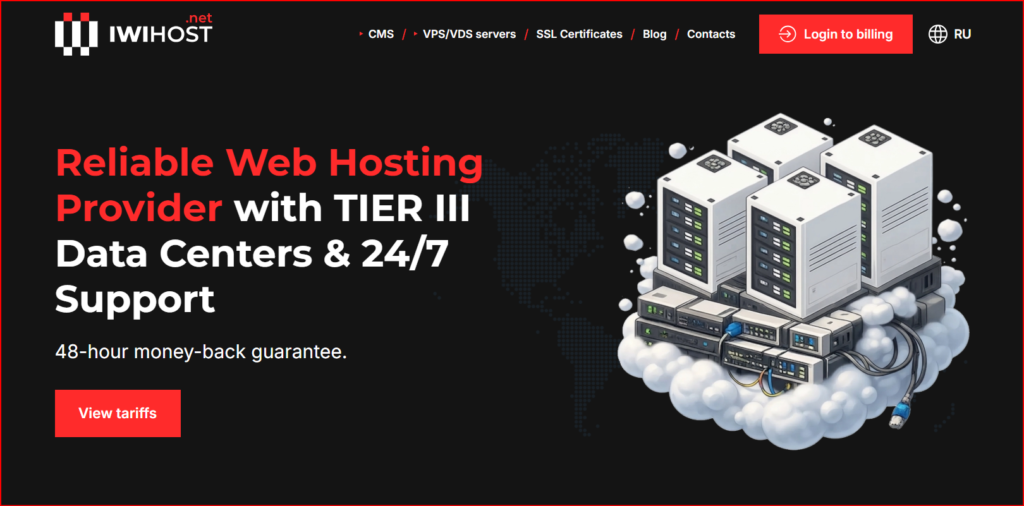
IWIHOST website used as the migration-case visual for this October 2026 review.
| Migration thesis IWIHOST is most attractive to users who actually want VPS control: root access, OS choice, KVM isolation and the ability to run their own stack. It is less attractive to someone who wants a fully managed application service where the provider owns every software decision. |
Starting point: why leave shared hosting?
A move to VPS is justified when shared-hosting limits become operational: unpredictable resource contention, restricted software versions, background workers that cannot run reliably, custom networking requirements, or a database/application that needs more consistent RAM and CPU. Moving too early creates administration work without business value; moving too late leaves performance and deployment trapped inside the shared environment.
Step 1 — size the first VPS without overbuying
| Plan | Example location | vCPU | RAM | NVMe | Monthly |
|---|---|---|---|---|---|
| Core | CA | 1 | 1 GB | 10 GB | $4.99 |
| Shield | FR | 2 | 2 GB | 30 GB | $6.99 |
| Armor | NL | 2 | 4 GB | 50 GB | $8.99 |
| Bastion | USA | 4 | 8 GB | 70 GB | $14.99 |
| Stronghold | UA | 6 | 12 GB | 90 GB | $21.99 |
| Fortress | UK | 8 | 16 GB | 150 GB | $29.99 |
| Titan | DE | 12 | 24 GB | 200 GB | $44.99 |
| Legend | IT | 16 | 32 GB | 300 GB | $64.99 |
| Mythic | CH | 24 | 48 GB | 400 GB | $94.99 |
I would treat Core as a utility/test server, Shield as an entry Linux workload, Armor as a more realistic starting point for a modest production site, and Bastion or above as the point where heavier databases, multiple services or container stacks become more comfortable. That is not a benchmark verdict; application memory use, caching and traffic patterns decide the real requirement.
Step 2 — choose location before tuning software
Latency is physical. If most users are in Western Europe, a nearby European location may matter more than adding one extra vCPU far away. If the workload has data-residency requirements, location becomes a compliance decision as well. IWIHOST advertises a broad international footprint, but inventory can change, so I would confirm the exact country and plan before designing a migration weekend around it.
Step 3 — understand the bandwidth wording
The current general VPS page says plans include a 500 Mbit/s port and 500 Mbit/s speed for the first 20 TB, after which speed drops to 100 Mbit/s until the next month. Some location/CMS pages currently display 30 TB instead. That inconsistency is exactly the kind of detail a buyer should confirm for the selected region at checkout. Capacity planning should use the applicable order terms, not a number copied from a different page.
Step 4 — build a migration runbook
- Inventory the existing application, database, PHP/runtime versions, scheduled jobs, DNS records and SSL certificates.
- Create the VPS and harden SSH, firewall rules, non-root admin access and automatic security updates before public traffic is moved.
- Install the application stack and restore a copy of production data into a staging hostname.
- Run application tests, background jobs, mail flows and external integrations from the new server.
- Lower DNS TTL before the cutover and take a final database/content sync at migration time.
- Keep the old host available during a rollback window rather than deleting it immediately.
- Verify monitoring, backups and recovery procedures after traffic moves.
Step 5 — decide what the provider owns vs what you own
| Layer | Provider side | Customer side |
|---|---|---|
| Physical host / virtualization | Hardware and KVM platform | N/A |
| Network / baseline DDoS | Provider network and advertised mitigation | Application rate limits and firewall policy |
| Operating system | Template availability | Updates, hardening, users, services |
| Application | N/A unless separately managed | Web stack, database, code, secrets |
| Backups | Provider options where available | Independent backup strategy and restore testing |
Price vs operational value
The monthly fees are competitive, but VPS value is not just price per vCPU. Root access and KVM isolation are valuable only when the team can manage them. ECC RAM and NVMe are sensible infrastructure choices, yet application performance still depends on software configuration. Term discounts can reduce cost, but I would validate the location and workload on a shorter term before locking into a long commitment.
For a separate editorial reference, the existing IWIHOST.net review on HostAndProxy is useful alongside the provider’s own live plan pages. I would still treat the current checkout and service terms as authoritative for pricing and included resources.
Migration risks I would plan for
- Underestimating RAM and discovering swap pressure after traffic moves.
- Moving DNS before the new stack has been tested end to end.
- Assuming provider backups replace an independent offsite backup strategy.
- Forgetting outbound mail reputation, reverse DNS or third-party allowlists tied to the old IP.
- Choosing a distant location to save a small amount while adding latency to every request.
- Treating 24/7 infrastructure support as a fully managed system-administration contract.
| What works well | What to verify / limitations |
Low entry priceNine-step plan ladderKVM virtualizationECC RAM and NVMe storage500 Mbit/s port on current plan pagesGlobal location choicesLinux/Windows/ISO options on higher tiersTerm discounts and fast provisioning | Bandwidth allowance wording differs across some official pagesVPS administration remains a customer responsibility unless management is explicitly includedSmall entry plans can be too limited for modern production stacksBackup and DDoS scope should be confirmed for the chosen serviceLicense/add-on costs can change total ownership cost |
Case-study conclusion: when I would migrate
IWIHOST makes sense as the next step after shared hosting when the team needs root access, predictable KVM resources and location choice and is ready to own the operating system. I would start with a plan that leaves memory headroom, test the region, build rollback before cutover and keep independent backups from day one. Before ordering, confirm the selected location, transfer allowance and current plan details on the official IWIHOST VPS page.
FAQ
What is the current entry price?
The general VPS page currently lists Core from $4.99 per month.
Does IWIHOST use KVM?
Yes, the current VPS plans are published as KVM-based.
What storage is used?
The plan pages list NVMe storage, with capacity increasing by tier.
Is the port 500 Mbit/s?
The current general VPS page lists a 500 Mbit/s port. Confirm transfer thresholds for the chosen region because official pages currently show different 20 TB/30 TB wording.
Is a VPS fully managed automatically?
No. Root access gives control, but the customer normally remains responsible for OS and application administration unless a managed service is explicitly purchased.
