
Introduction
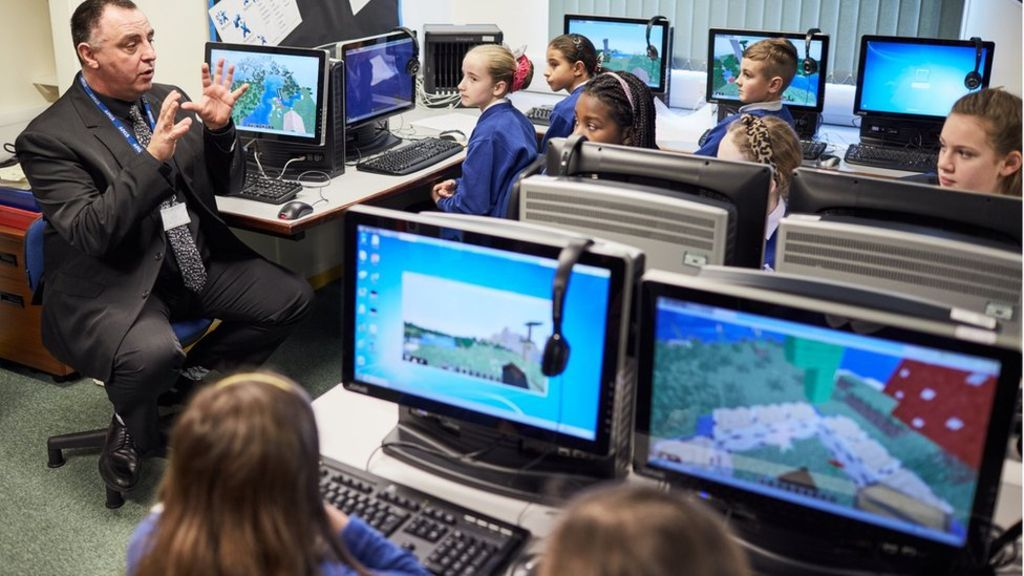
Education becomes more engaging when students can actively participate instead of simply reading textbooks. Minecraft Education Edition combines creativity, collaboration, and problem-solving in a safe digital environment designed for learning. Teachers, parents, and students use it to explore subjects such as science, mathematics, history, coding, and language arts through hands-on activities. Its familiar block-building gameplay encourages curiosity while supporting academic goals. Whether you are new to the platform or looking to improve your classroom experience, this guide explains everything you need to know to get started successfully.
What is Minecraft Education Edition?
Minecraft Education Edition is a classroom-focused version of the popular Minecraft game that helps students learn through exploration and interactive challenges. Unlike the standard edition, it includes educational tools such as classroom management, lesson templates, coding features, assessments, and collaborative worlds.
Teachers can create custom lessons, while students complete projects that develop creativity, communication, and critical thinking. For example, a history class can rebuild an ancient civilization, while a science lesson may involve creating ecosystems to understand environmental concepts.
Why is Minecraft Education Edition Important?
Modern classrooms benefit from interactive learning experiences that keep students motivated. Traditional lectures often struggle to maintain attention, but practical activities encourage deeper understanding.
This platform supports project-based learning, teamwork, and digital literacy. Students practice solving real-world problems while improving communication and decision-making skills. As technology becomes increasingly important, these experiences help learners prepare for future academic and professional opportunities.
Step-by-Step Guide
1. Install and Sign In
Download the application and sign in using an eligible school or educational account.
2. Explore the Lesson Library
Browse ready-made lessons covering coding, mathematics, geography, science, history, reading, and more.
3. Create or Join a World
Choose an existing educational world or create a new one that matches your lesson objectives.
4. Complete Learning Activities
Follow classroom instructions, solve challenges, build projects, and collaborate with classmates to complete educational tasks.
5. Review and Improve
Discuss completed projects, evaluate learning outcomes, and identify areas for improvement before beginning the next activity.
Benefits
- Makes learning more interactive and enjoyable.
- Encourages teamwork and collaboration.
- Improves creativity through building activities.
- Develops coding and digital literacy skills.
- Supports multiple school subjects.
- Increases student engagement and participation.
- Promotes critical thinking and logical reasoning.
- Provides a safe and controlled classroom environment.
Risks or Disadvantages
- Requires compatible devices and reliable internet for many activities.
- Teachers need training to use advanced classroom features effectively.
- Students may become distracted if lessons are not well planned.
- Licensing costs may be challenging for some schools.
- Technical issues can occasionally interrupt classroom sessions.
Common Mistakes to Avoid
Many beginners spend too much time exploring without following lesson objectives. Others overlook built-in tutorials that explain important classroom features. Teachers sometimes create activities that are too difficult for new learners, reducing confidence and participation. Another mistake is failing to encourage collaboration, which limits opportunities to build communication skills. Setting clear goals, providing simple instructions, and reviewing completed work helps learners gain the greatest educational value from every lesson.
FAQs
Who can use Minecraft Education Edition?
Students, teachers, schools, libraries, and educational organizations can use the platform for learning activities.
Is coding included?
Yes. Coding lessons introduce programming concepts through engaging projects suitable for different skill levels.
Can it be used for homeschooling?
Yes. Parents and homeschool educators can use educational resources where eligible access is available.
Does it support multiplayer learning?
Yes. Students can safely collaborate on shared worlds under teacher supervision.
Which subjects can be taught?
Science, mathematics, history, geography, coding, language arts, art, and many additional subjects.
Expert Tips
Begin with simple classroom activities before introducing advanced projects. Encourage students to work in small groups to improve collaboration and communication. Connect lessons to real-life topics, such as building sustainable communities or designing historical landmarks. Use assessment tools to measure progress and identify areas needing improvement. Most importantly, balance creativity with structured learning objectives so students remain engaged while achieving meaningful educational outcomes through Minecraft Education Edition.
Conclusion
Minecraft Education Edition offers an innovative approach to learning by combining education with creativity, exploration, and collaboration. Students gain valuable academic knowledge while developing practical skills such as teamwork, communication, coding, and problem-solving. Teachers benefit from flexible lesson tools that make classrooms more interactive and engaging. By following structured lessons, avoiding common mistakes, and applying effective teaching strategies, beginners and intermediate learners can confidently use this platform to create memorable educational experiences that support long-term success both inside and outside the classroom.
