
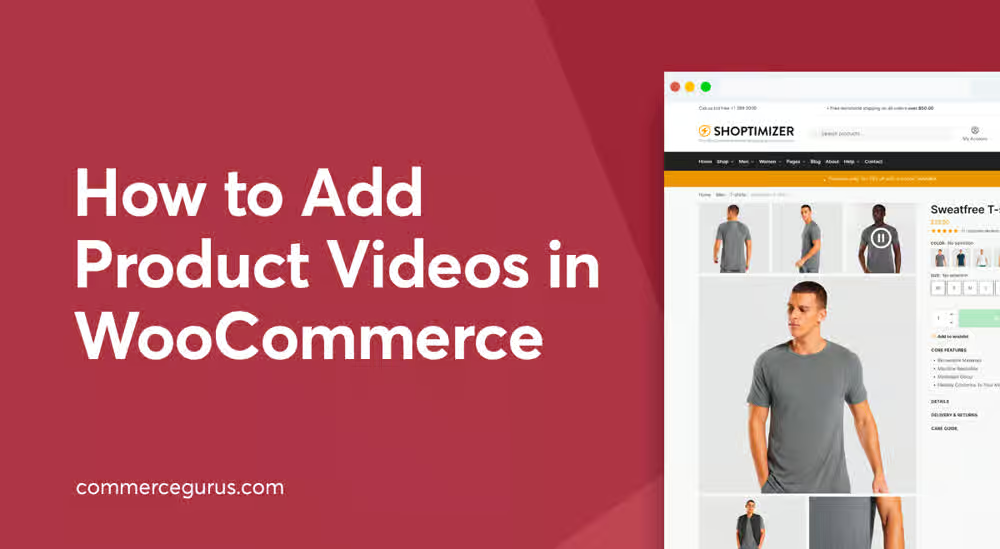
Product images still matter, but in 2026, shoppers usually expect more than static visuals before they buy something online. A quick product video showing movement, texture, setup, or actual use can answer questions faster than long descriptions ever could. That’s exactly why many store owners now prefer to add video to WooCommerce product gallery instead of relying only on images.
At the same time, adding videos incorrectly can slow pages down, clutter layouts, or annoy users with poor playback settings. That’s where autoplay previews and lightbox videos become useful. They improve engagement without making the product page feel messy.
In this guide, we’ll look at how autoplay and lightbox product videos work in WooCommerce, why they matter for conversions, and what setup methods usually work best for modern stores.
Why Product Videos Matter More Than Ever
A customer looking at shoes may want to see how the sole bends. Someone buying a blender may want to hear the sound level. A tech buyer probably wants a quick demo before purchasing.
Images help, but videos reduce hesitation.
Using a proper WooCommerce product video setup can help with:
- Lower return rates
- Better customer confidence
- Longer time spent on product pages
- Improved conversion rates
- Fewer pre-sale support questions
And honestly, some products are just hard to explain through images alone.
What Are Autoplay and Lightbox Videos?
Before setting things up, it helps to understand the difference between these two features.
Autoplay Videos
Autoplay starts the video automatically when the page loads or when the customer opens the gallery. Usually, stores mute autoplay videos so they don’t interrupt browsing.
This works well for:
- Fashion stores
- Electronics demos
- Furniture showcases
- Beauty products
- Animated product previews
A subtle autoplay preview often catches attention quicker than a static image.
Lightbox Videos
A lightbox opens the video in a popup overlay instead of redirecting users elsewhere. The customer stays on the same page while watching the product demo.
This creates a cleaner experience because shoppers don’t lose their place on the product page.
Many store owners who add video to WooCommerce product gallery now prefer lightbox playback because it feels smoother on both desktop and mobile.
Common Problems With Default WooCommerce Galleries
WooCommerce itself handles images pretty well, but video support is still limited without additional functionality.
Most default setups lack:
- Embedded product video support
- Autoplay settings
- Video popups
- Gallery video sorting
- Variation-specific videos
- External video platform support
That’s why stores usually rely on dedicated plugins for proper WooCommerce product video integration.
A Practical Way to Add Product Videos
One of the more complete solutions right now is the Add Featured Videos in Product Gallery for WooCommerce plugin by FmeAddons.
Instead of forcing videos into awkward layouts, it lets store owners:
- Add videos directly into product galleries
- Replace featured images with videos
- Enable autoplay
- Open videos in lightbox popups
- Embed videos from YouTube or Vimeo
- Upload self-hosted videos
- Add videos for product variations
The reason many stores prefer this setup is because it handles both gallery videos and featured videos together instead of separating them awkwardly.
If your goal is to properly add video to WooCommerce product gallery without custom coding, this kind of plugin-based setup usually saves a lot of time.
How Autoplay Improves Product Engagement
Autoplay only works well when used carefully.
Nobody wants loud audio blasting the second a product page loads. But muted autoplay previews? Those work surprisingly well.
A short silent preview can:
- Draw attention immediately
- Highlight product movement
- Show scale or dimensions
- Demonstrate functionality quickly
For example:
A rotating handbag preview looks more premium than five static angles.
A smartwatch animation showing interface navigation explains more in 10 seconds than a paragraph would.
That’s where a good WooCommerce product video setup becomes more than just decoration.
Why Lightbox Videos Often Convert Better
Lightbox viewing keeps customers focused.
Instead of opening YouTube in another tab or redirecting somewhere else, the shopper watches the demo instantly and closes it without leaving the product page.
This small detail actually matters more than people think.
Benefits of lightbox product videos include:
- Cleaner layouts
- Faster browsing experience
- Better mobile usability
- Reduced distractions
- Improved product focus
Stores trying to add video to WooCommerce product gallery usually find popup viewing easier for customers compared to embedding huge players directly into the page.
Smart Video Practices That Keep Your Store Fast
One mistake many stores make is uploading massive raw video files.
That slows everything down.
A better approach includes:
Use compressed MP4 videos
Smaller files load quicker and perform better across devices.
Keep videos short
30–60 seconds is usually enough for product demos.
Use lazy loading where possible
Only load videos when customers interact with them.
Avoid multiple autoplay videos at once
Too many moving elements create distraction instead of engagement.
Embed external videos carefully
YouTube and Vimeo embeds work well, but too many embeds can still affect speed.
A properly optimized WooCommerce product video plugin strategy should improve experience, not damage it.
Products That Benefit Most From Video Galleries
Some product categories gain massive value from video content.
Fashion Products
Show movement, texture, and fitting.
Electronics
Display functionality and setup instructions.
Furniture
Demonstrate scale and assembly.
Beauty Products
Show product application results.
Fitness Equipment
Explain usage properly.
Handmade Products
Highlight craftsmanship and details.
These industries often see stronger engagement after they add video to WooCommerce product gallery in a clean way.
Using Videos for Product Variations
Variation-specific videos are becoming more important now.
For example:
- Different shoe colors
- Different fabric textures
- Different device models
- Different product bundles
Showing a separate video for each variation creates a much more accurate shopping experience.
The FmeAddons plugin supports this feature directly, which makes it useful for stores with variable products instead of simple catalogs.
That flexibility helps improve the overall WooCommerce product video experience for larger stores.
Other Solutions Store Owners Sometimes Use
There are other approaches too.
Some store owners use:
- Custom YouTube embeds
- Page builder video widgets
- Theme-integrated gallery systems
- Dedicated video hosting services
These setups can work, but they often require extra styling, compatibility checks, or manual placement.
A plugin focused specifically on helping you add video to WooCommerce product gallery usually feels more organized long-term.
Especially when handling multiple products.
Small Video Tweaks That Improve Results
You do not always need expensive production.
Even simple improvements help:
- Use clean lighting
- Keep backgrounds uncluttered
- Show real product usage
- Add captions if needed
- Focus on practical demonstrations
- Keep intros short
Customers mostly care about clarity.
A straightforward product demo usually performs better than over-produced marketing footage.
Final Thoughts
Product videos are no longer just an optional extra for WooCommerce stores. Customers expect to see products in action before buying, especially for higher-value or customizable items.
Features like autoplay previews and lightbox viewing make the experience feel smoother without overwhelming the product page. They help shoppers stay engaged while keeping the layout clean and easier to browse.
For stores planning to properly add video to WooCommerce product gallery, using a dedicated plugin setup is usually the easiest and most stable approach. The FmeAddons product video gallery plugin stands out because it combines autoplay, lightbox playback, variation videos, embedded sources, and gallery integration in one system without making the setup overly complicated.
When done properly, a strong WooCommerce product video setup does more than improve visuals. It helps customers understand products faster, trust the purchase more, and spend less time hesitating before checkout.
